

Try for Free

ai proctor

Meet Alvy - AI Proctoring Agent

Embedded in your exam or interview platform.  Monitors the session and leaves a record your reviewer can act on.

  • SOC 2
  • ISO 27001
  • GDPR
  • WCAG 2.2 AA

Exam boards, universities and enterprise hiring teams run on Talview

Cambridge Assessment
La Trobe University
City and Guilds
RM Education
IHRP
NVIDIA
DBT Labs
American Association of Airport Executives
Eastern Washington University
Atos
OET
CollegeBoard Latam
trinity college london
onegmac
Alvy wins COTS 2026 Innovation in Test Security Award | Talview

Alvy wins the 2026
Innovation
in Test
Security Award

Awarded by Conference on Test Security
Read more

Built for today's threats

Exam security that keeps up with how cheating actually works now.

Restricts AI Tools During Exams

Prevents unauthorised AI assistants, chatbots, and invisible overlay tools from running during a proctored session, while still allowing approved applications for hands-on exams.

Blocks AI-Generated Content

Detects and Restricts test-takers from pasting AI-generated text into online exams and written assignments.

Detects Cell Phones and Devices

Identifies when test-takers attempt to use cell phones, smartwatches, or secondary devices during an exam session.

Monitors Screen Activity

Tracks the application in focus, tab switches, and connected peripherals in real time. Names the specific event, not raising a generic alert.

Voice Detection

Listens for specific phrases that may indicate cheating, such as voice assistant triggers, rather than flagging background noise.

Monitor for Exam Content Leaks

Scans the web for your leaked exam content and enables you to take it down. Protects your question bank before it spreads further.

AI PROCTORING SECURITY LAYER

Four things have to be true before a result can be defended

Identity

The right person. Checked at the door and again mid-session.

Proof

Their own work. AI assistance, coaching and proxies, named as they happen.

Context

What is actually happening on screen and in the room.

Record

What survives the challenge. Timestamped, with every human decision logged and reasoned.

Choose your mode

Alvy runs as Autopilot or Copilot. You pick based on the stakes.

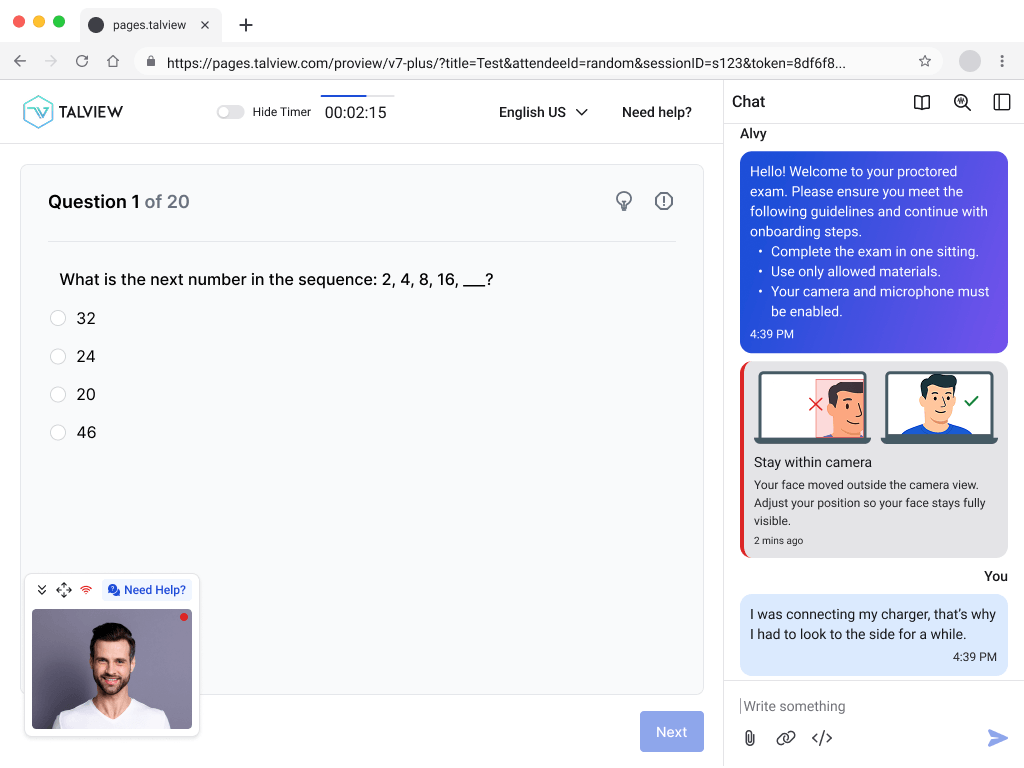
Autopilot

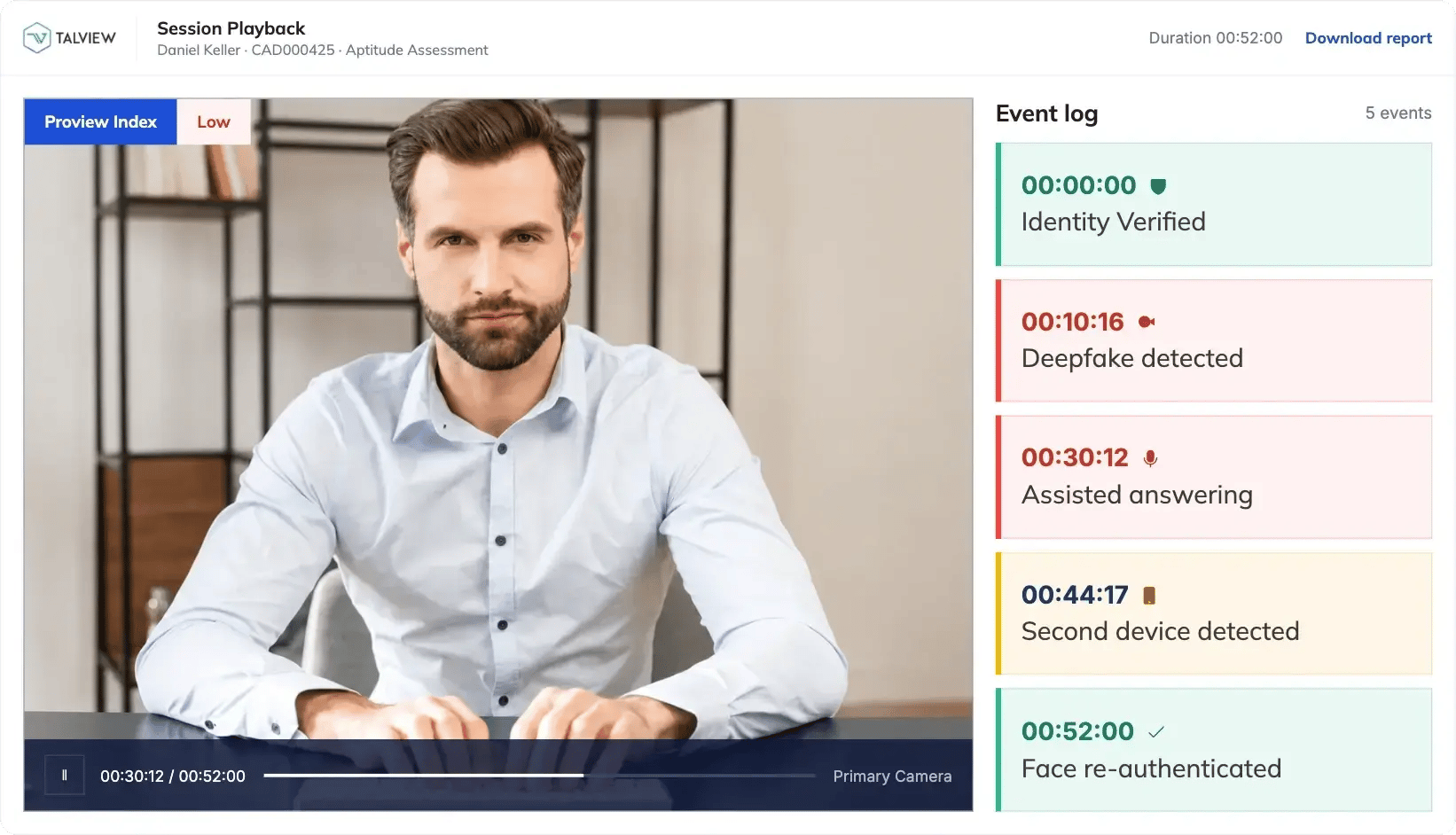
Alvy runs the session end-to-end

  • Handles identity verification, monitoring, and candidate support autonomously
  • Produces a complete summary report. No proctor input required
  • 40% reduction in false flags compared to rule-based automated proctoring

Best for medium-stakes online exams at volume.
Alvy Autopilot
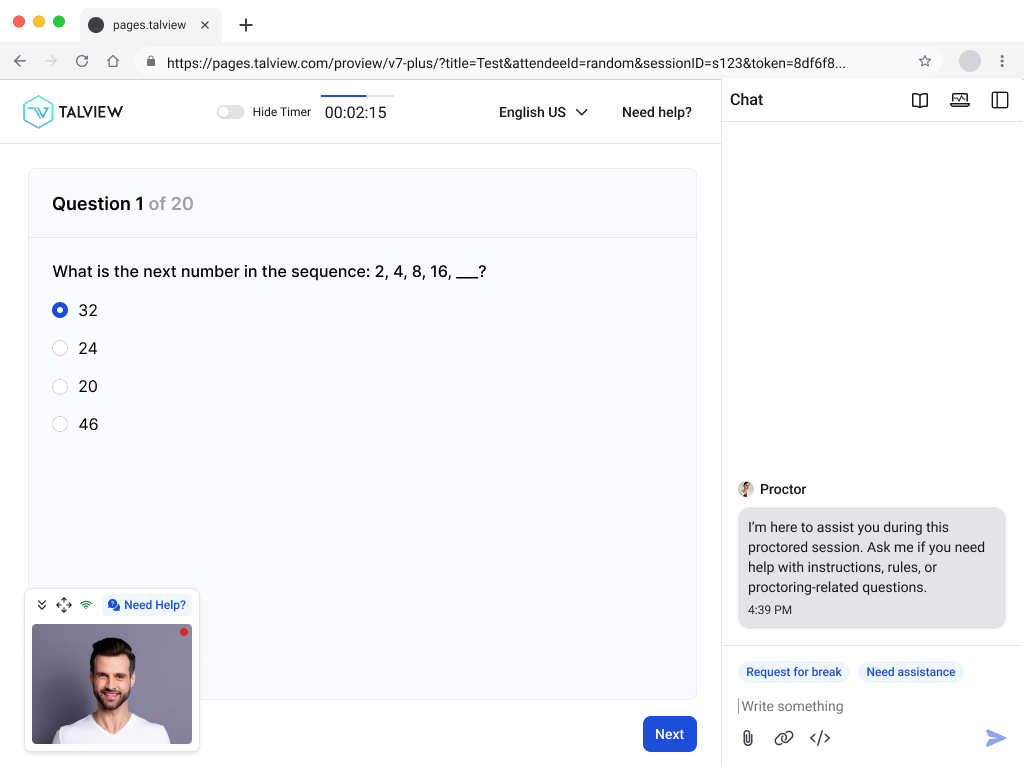
Copilot

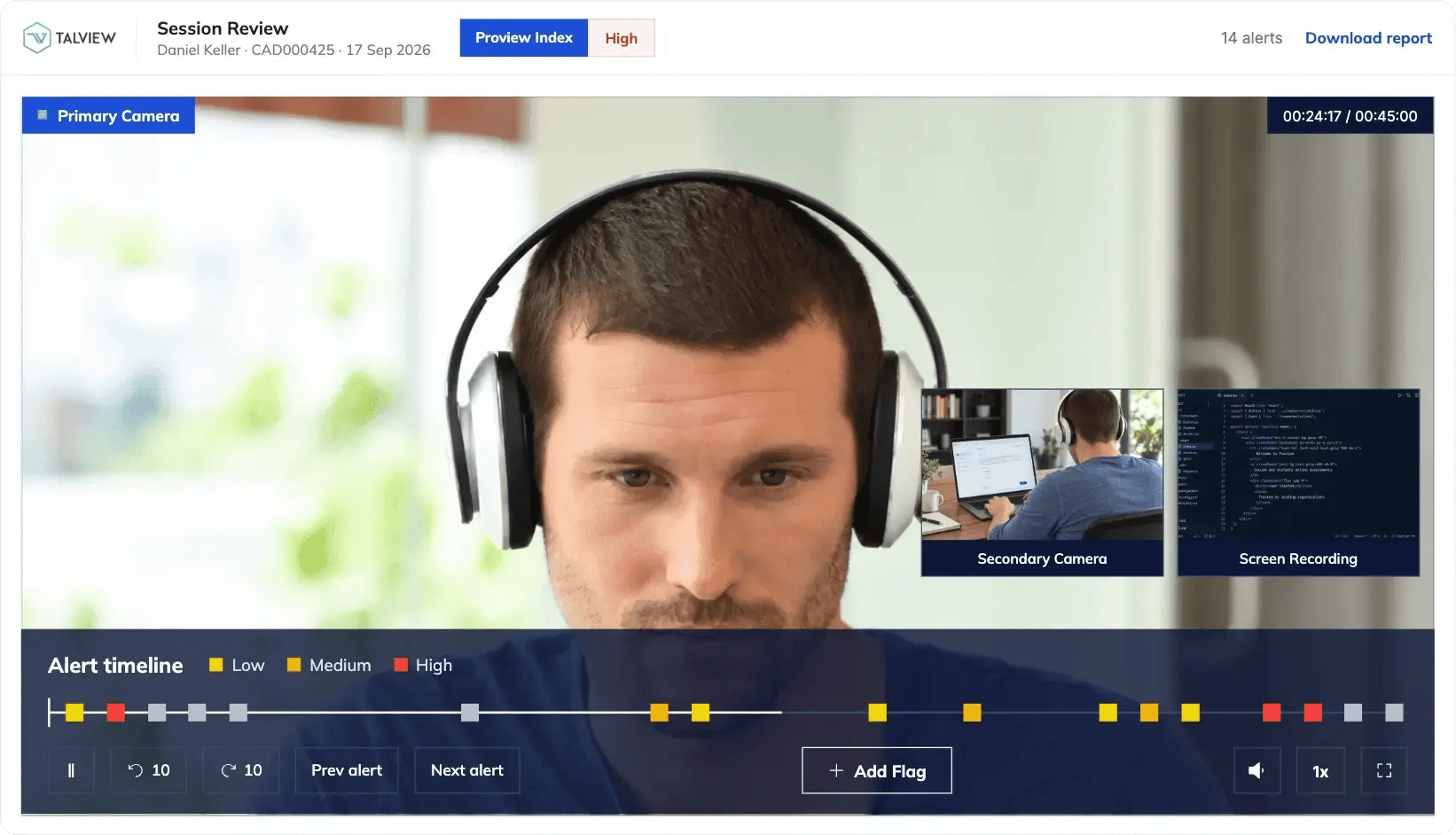
Alvy assists a human proctor in real time

  • Surfaces context to the proctor while the exam is running
  • 2× proctor-to-candidate coverage, 75% reduction in review time
  • Every proctor action logged with a mandatory reason

Best for high-stakes certification and professional licensing.
Proctor Warning

Proctoring modes

Autopilot and Copilot operate across all modes, maintaining a consistent record in every session.

Automated-Proctorings

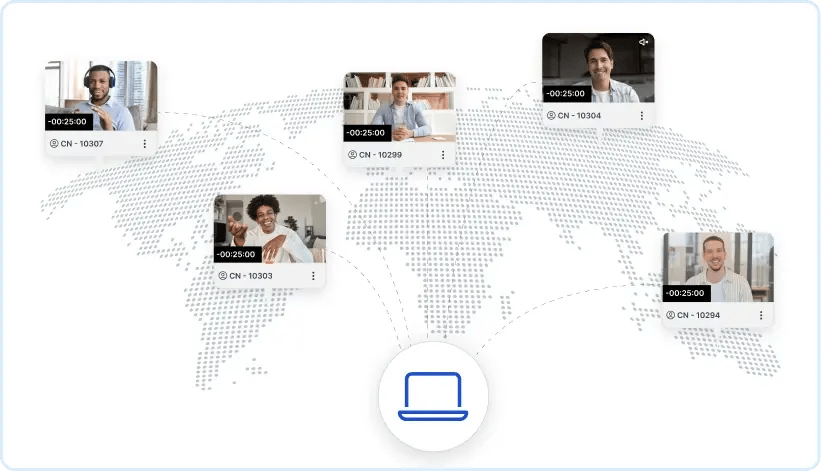
High-volume programmes where a reviewer works exceptions.
Learn More

live_proctoring

High-stakes certification exams.

Learn More

Record-Review

Post-hoc review and appeals

Learn More

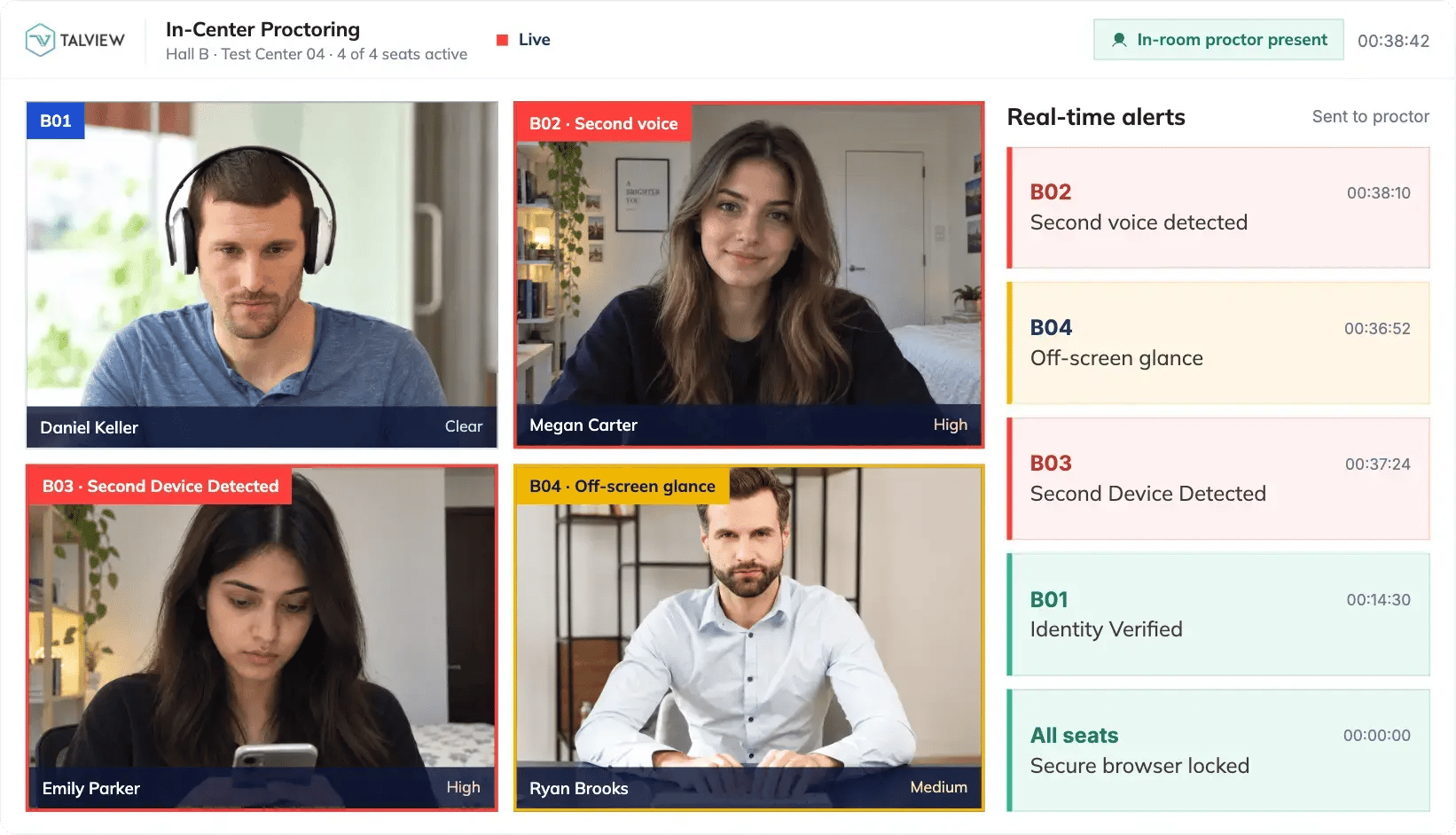
In-Center-Proctoring

The same AI monitoring, at your test center, one integrity standard, covers remote and in-center exams.


Learn More

CAPABILITIES

Turn on what the exam needs.

DEPLOYS IN ONE WEEK

Three ways to connect.

Build

SDK or JavaScript, into your own exam platform.

Extension

Browser extension for Moodle, Canvas, Blackboard, and others.

Wrapper

Sits over your existing exam link. No integration required.

Thought-Industries
Moodle-Integration
Canvas LMS
anthology-logo
Skilljar
EdX_Logo
Open-edx-logo
Absorb-logo
Docebo
D2L_Logo
Cornerstone
Who decides

The system presents the evidence. A named person on your side decides.

What Talview does
What your team decides

Alvy drafts the incident summary

The proctor edits or sends it

Flags a failed face check

The reviewer decides how to proceed

Surfaces context around a flag

The reviewer decides what it means

Logs every proctor decision

The customer owns the audit trail

Presents the evidence

The customer makes the final call to qualify or disqualify

WHERE IT ALREADY RUNS

What our customers achieved

Their results, in their engagements.

200+ delivery agents

Cambridge

Scale of proctoring operations

12,000 students/ semester

La Trobe University

Ongoing deployment volume

2,000 → 30,000 test-takers

GBTS

Programme growth

Reviewed by the people who run the sessions

Read the reviews on G2 →
G2-Leader
G2-Momentum-Leader
g2-users-love-us
G2-Best-ROI
G2-Highest-User-Addoption

Before the form, the questions you were going to ask

Still unanswered? Talk to our team and we will walk you through a live session.

What is Alvy?

Alvy is Talview’s AI proctoring agent. It monitors the exam session (screen, camera, and room), documents what it sees, and leaves a record your reviewer uses to make every integrity decision.

What is the difference between Autopilot and Copilot?

Autopilot runs the session without a human proctor and produces a summary for review. Copilot assists a live proctor in real time, surfacing context and drafting candidate messages. Autopilot for volume, Copilot for high-stakes.

Can Alvy integrate with our LMS?

Yes, via SDK, browser extension, or wrapper. Works with Canvas, Moodle, Blackboard, D2L, and others. Most deployments are live within one week.

Does Alvy replace human proctors?

Alvy handles monitoring and evidence gathering. Every decision that affects a candidate is made by a named person on your team, with the reason logged.

Do you publish a detection rate?

No. A pilot on your own exams documents what Alvy flagged, what your reviewer confirmed, and what evidence supports each decision.

Run one exam through it. Then decide.

One exam. One requisition. Thirty to sixty days. See it on your own sessions before you commit to anything larger.

1
Solution
2
Scale
3
Details

What are you looking for?

Choose a solution — we'll tailor the next questions to it.

Please choose a solution type.
Taking an interview or exam and need help? Our Support Center has step-by-step guides, troubleshooting and live help for candidates and test-takers.

How many candidates per year?

Pricing is unit-based — this helps us size the right volume for you.

Please select a volume range.

Where should we send your demo invite?

We'll get back to you within one business day.

Something went wrong while submitting. Please try again, or email us at sales@talview.com.
Please enter your first name.
Please enter your last name.
Please enter a valid business email.
Please select your current role.
Please enter a valid phone number.
✓

Thanks — request received!

Your request is on its way to our team.
We'll reach out within one business day.